Onboard via CURL Command
Path: API Manager → Manage APIs → My APIs → Onboard API → Onboard Via Curl Command
Roles: platform-admin, api-developer, api-product-manager
Outcome: An unpublished API with basic information and one endpoint auto-created from a pasted curl command.
Use this flow when you already have a working curl request (from Postman, browser devtools, or API docs) and want to register the API without walking through the Manually Configure API three-step process.
Prerequisites
| Need | Required |
|---|---|
Valid access for My APIs |
Yes |
| Valid single curl command | Yes |
Unique Publishing Path (set via x-publishing-path header in the curl) |
Yes |
API Classification |
No — auto-set to Internal |
| API logo, tags, Upstream selection, description | No |
When to use
Use Onboard Via Curl Command (under Onboard API) when you have one representative curl and want the platform to extract host, path, method, headers, query params, and body automatically—without walking through the Manually Configure API three-step process.
Steps
Step 1 — Open Onboard API
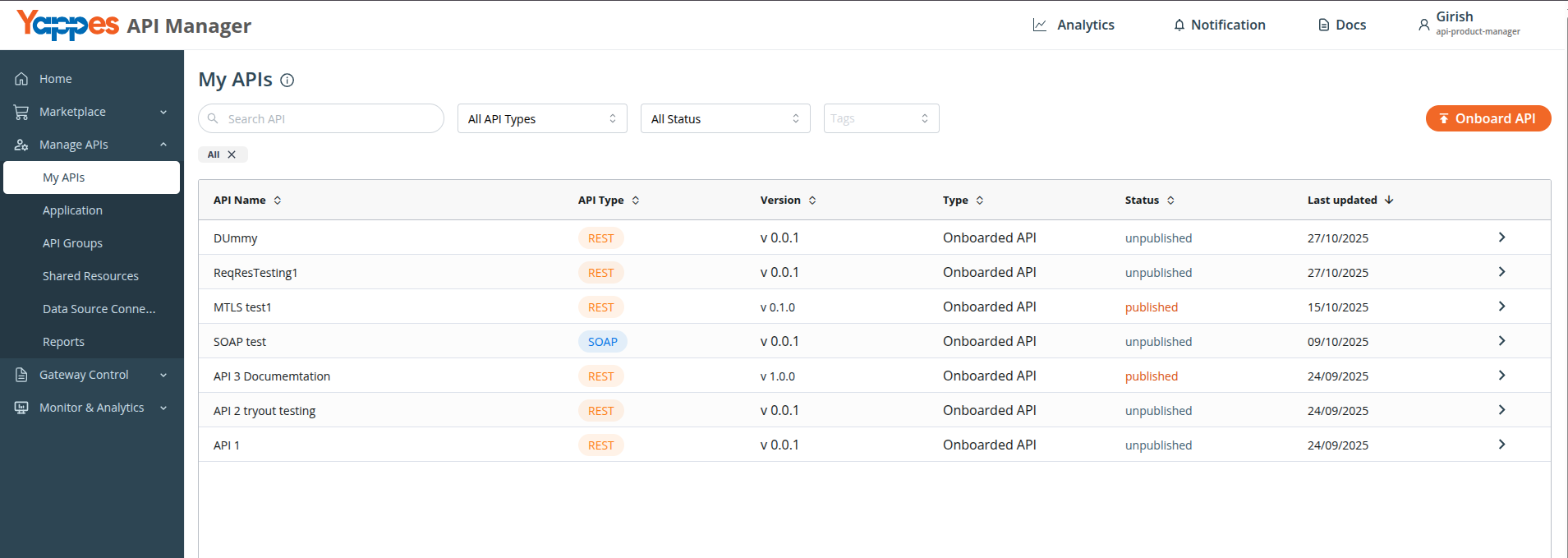
Path: API Manager → Manage APIs → My APIs
- Go to
Manage APIs→My APIs. - Click
Onboard API. - In the
Onboard APImodal, selectOnboard Via Curl Command.
Step 2 — Paste and submit the curl command
- In the
Onboard via CURL Commandmodal, paste your curl into theCURL Commandfield. - Ensure the curl includes the
x-publishing-pathheader (see Curl requirements). - Click
Onboard CURL.
Info
Enter only one curl command at a time. Multiple curls in a single submission are not supported.
Step 3 — Review the auto-created API
- Wait for the success notification:
API onboarded successfully! - You are redirected to the API details / onboard page for the new API.
- Review auto-filled fields (API name, endpoint, headers, query params, body).
API Classificationis set toInternalautomatically and cannot be chosen in the curl modal (locked after create, same as manual onboard). - Under
Configure Upstream Servers, select anUpstream(placeholder:Select Upstream here), then clickUpdate. Create a matching target in Upstream first if the list is empty (No upstream created for this API type). - Complete remaining configuration as needed (authentication, rate plans, policies, logo, tags, and Configure Upstream Servers if not already set).
- Publish when ready — see Publish an API.
Curl requirements
| Rule | Detail |
|---|---|
| Single command | One curl per onboarding run. |
| Publishing path header | Required. Include --header 'x-publishing-path: /your-path'. The publishing path must be unique across all platform APIs. |
| Valid syntax | Standard curl flags (-X, --header / -H, --data / -d, URL). Line continuations with \ are supported. |
Minimal example:
curl -X GET 'https://api.example.com/users' \
  --header 'x-publishing-path: /public'
What gets extracted
| Curl part | Created in Yappes |
|---|---|
| URL host / origin | Used when deriving backend context for the curl flow |
| URL path | Endpoint path |
HTTP method (-X) |
Endpoint method (defaults to GET, or POST when a body is present) |
| Query string | Query parameters on the endpoint |
Headers (-H / --header) |
Endpoint headers (see Limitations) |
Request body (-d / --data) |
Form data / request body on the endpoint |
| Hostname | API Name (auto-generated from hostname plus a random suffix) |
x-publishing-path header |
Publishing Path |
Supported API types
The platform detects the API type from the curl and creates the matching endpoint configuration.
| Type | Detection |
|---|---|
REST |
Default when the request is not SOAP. |
SOAP |
XML content type, SOAP envelope in body, or SOAPAction header. |
Limitations
| Limitation | Detail |
|---|---|
| One endpoint per run | Only the single operation in the pasted curl is created. Add more endpoints manually afterward. |
| Header filtering | content-type and headers starting with x- are not saved as endpoint headers (publishing path is used only for API-level path). |
| Not auto-set | Description, API logo, marketplace tags, Upstream selection, and tryout quota are not configured by this flow. |
API Classification |
Auto-set to Internal. Not choosable in the curl modal; locked after create (same as manual onboard). |
| API name | Auto-generated; rename on the API details page if needed. |
Examples
REST GET with query parameters
curl -X GET 'https://api.example.com/users?status=active&limit=10' \
  --header 'Authorization: Bearer <token>' \
  --header 'x-publishing-path: /public'
SOAP request
curl -X POST 'https://soap.example.com/services/UserService' \
  --header 'Content-Type: text/xml; charset=utf-8' \
  --header 'SOAPAction: urn:getUser' \
  --header 'x-publishing-path: /public' \
  --data '<soap:Envelope xmlns:soap="http://schemas.xmlsoap.org/soap/envelope/"><soap:Body><getUser><id>123</id></getUser></soap:Body></soap:Envelope>'
For full Onboard SOAP APIs options (WSDL upload, multiple operations), see Onboard SOAP APIs.
Troubleshooting
| Issue | Cause | Action |
|---|---|---|
Onboard CURL button disabled |
Missing or invalid x-publishing-path header |
Add --header 'x-publishing-path: /your-path' with a valid segmented path (e.g. /public). |
| Invalid curl / parse failure | Malformed curl syntax | Copy a fresh curl from your API client; ensure URL and flags are valid. |
| Publishing path must be unique | Path already used by another API | Choose a different x-publishing-path value. |
| Missing endpoint details | Curl lacked method, URL, or body where expected | Verify the curl includes the full request you want to register. |
| Need more endpoints | Curl flow creates one operation only | Add endpoints manually on the API details page — see API Endpoints. |