How to use an application (Tryout Operation)
In this tutorial, you’ll learn how to run the Tryout operation with an Application’s keys so you can test an API before or alongside subscription.
Note
Tryout uses an application’s X-Yappes-Key (and related tryout keys) to call an API. To create an application with APIs, rate plans, and OAuth scopes, use the subscription-first flow in Creating an Application.
You can run tryout for both published and unpublished APIs.
For published API
- From the home screen of the API Manager, go to
Marketplace→ selectAPI Listing.
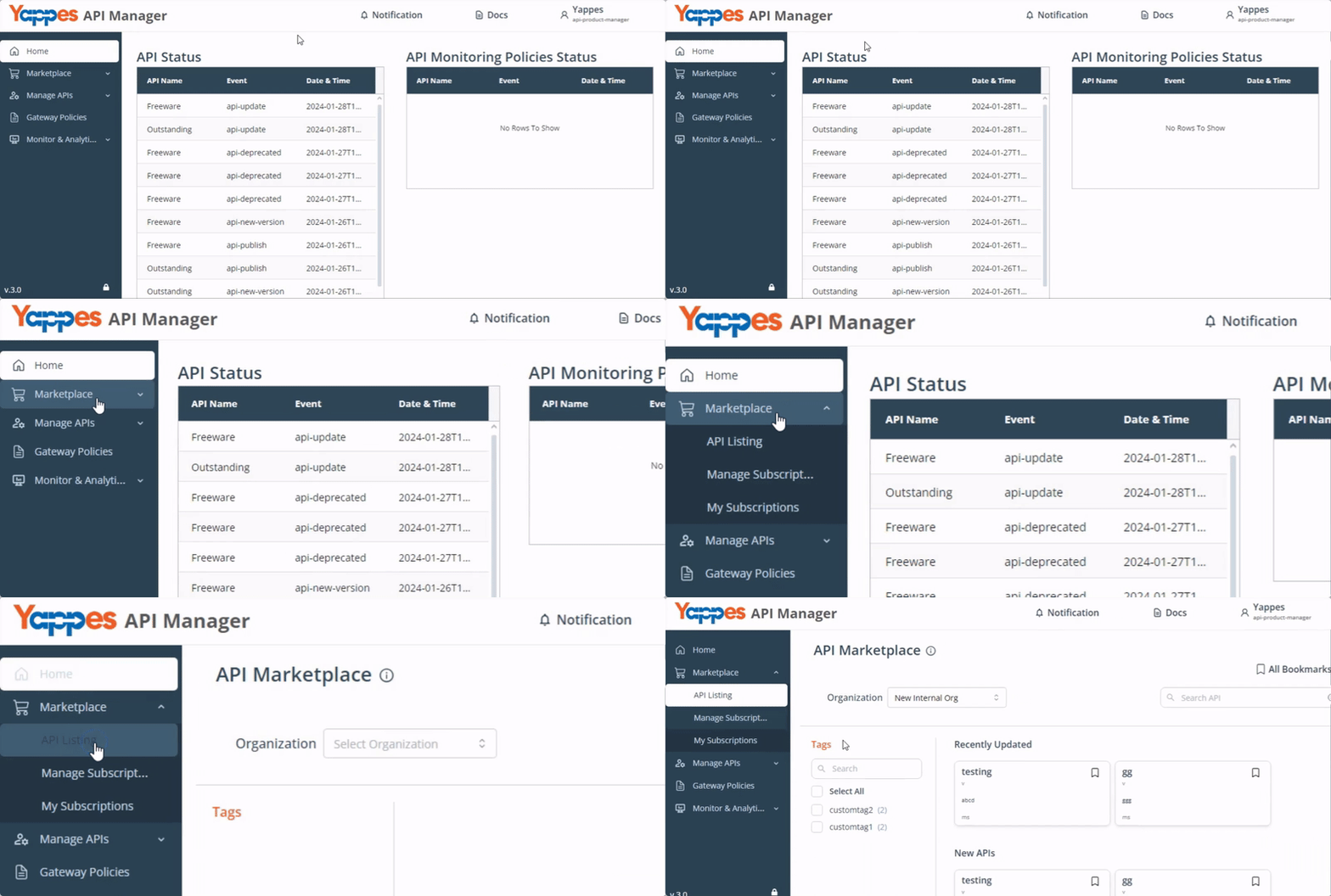
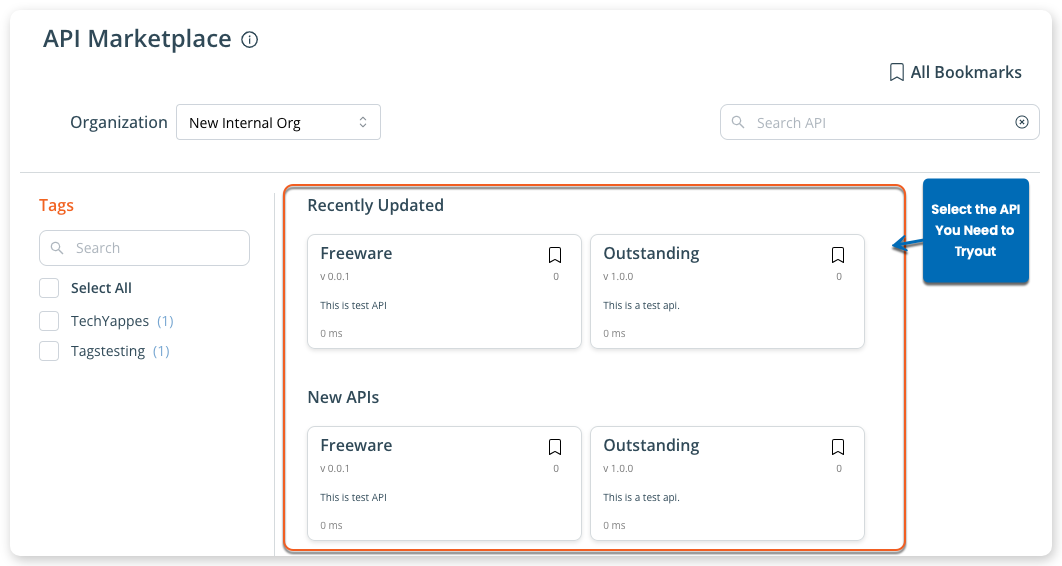
- Select the API you need to try out.
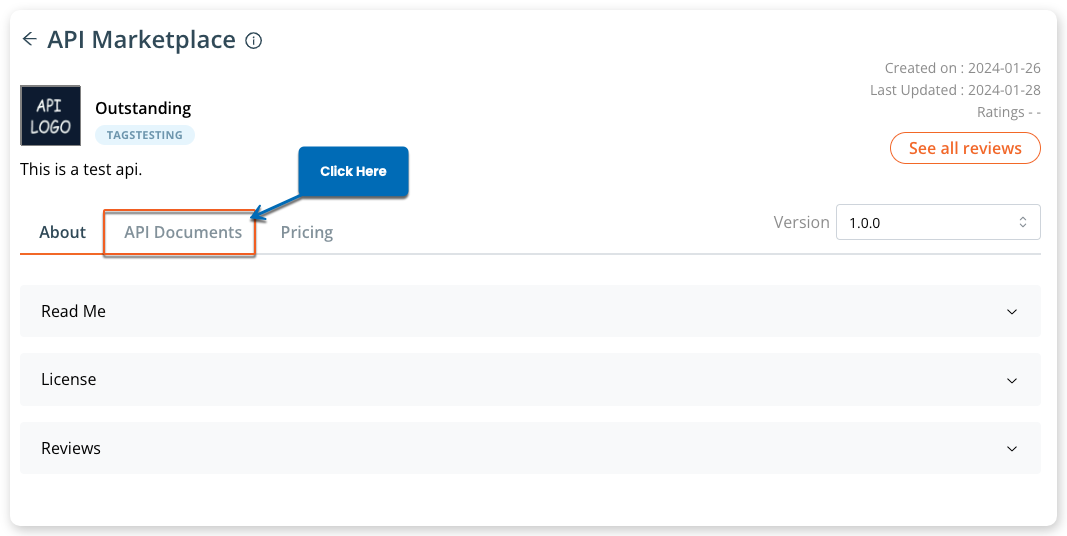
- Switch to
API Documents.
API Documentsincludes endpoint details, headers (includingX-Yappes-KeyandX-Yappes-Subkey), remaining tryouts, and sample requests.
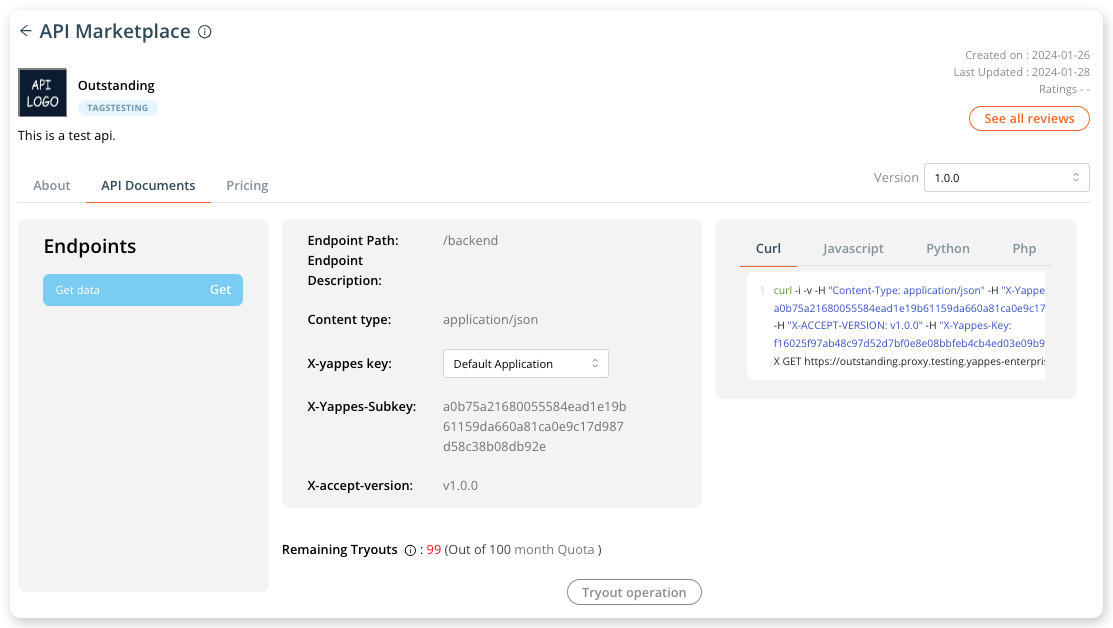
- Select the application whose
X-Yappes-Keyyou want to use.

- Click
Tryout operation.
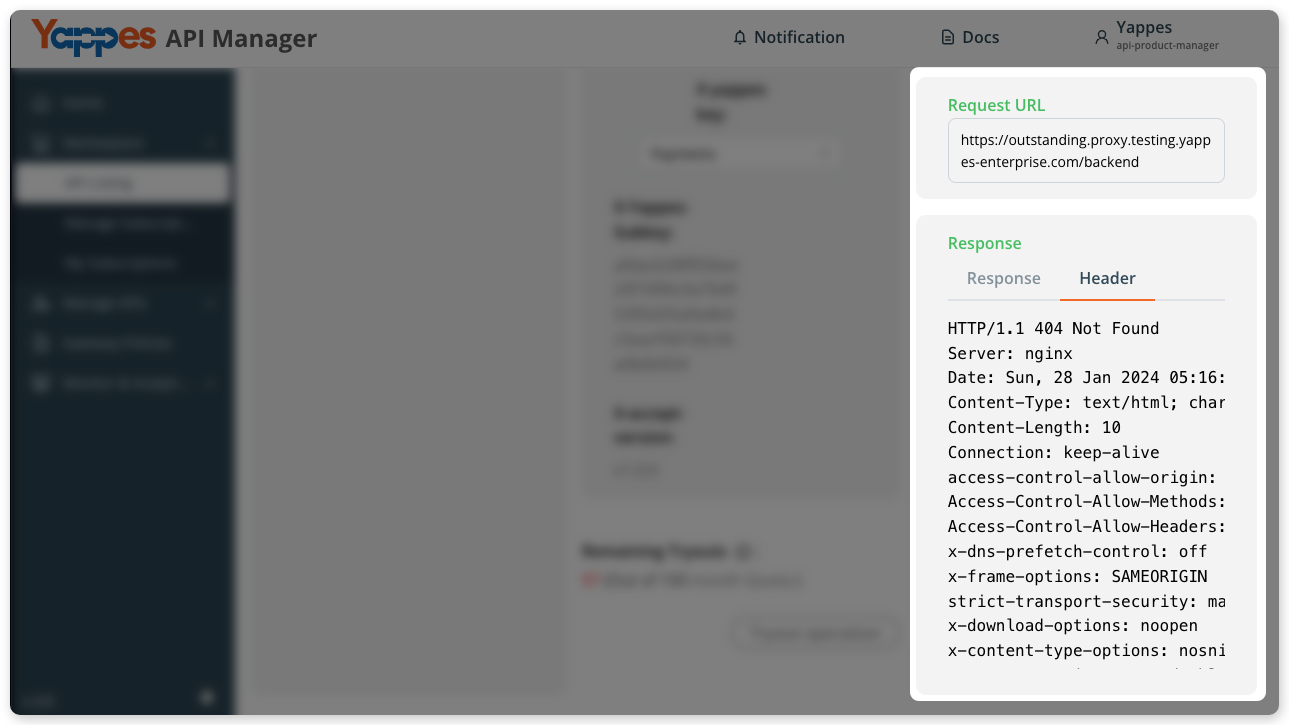
- Review the request URL and response (including headers).
To view keys, usage, or subscription details for that application, open it from Manage APIs → Application. See Application Details.
For unpublished API
Info
This section is for users of Internal Organizations only. To run tryout for an unpublished API, you must have the role of platform-admin, api-product-manager, or api-developer.
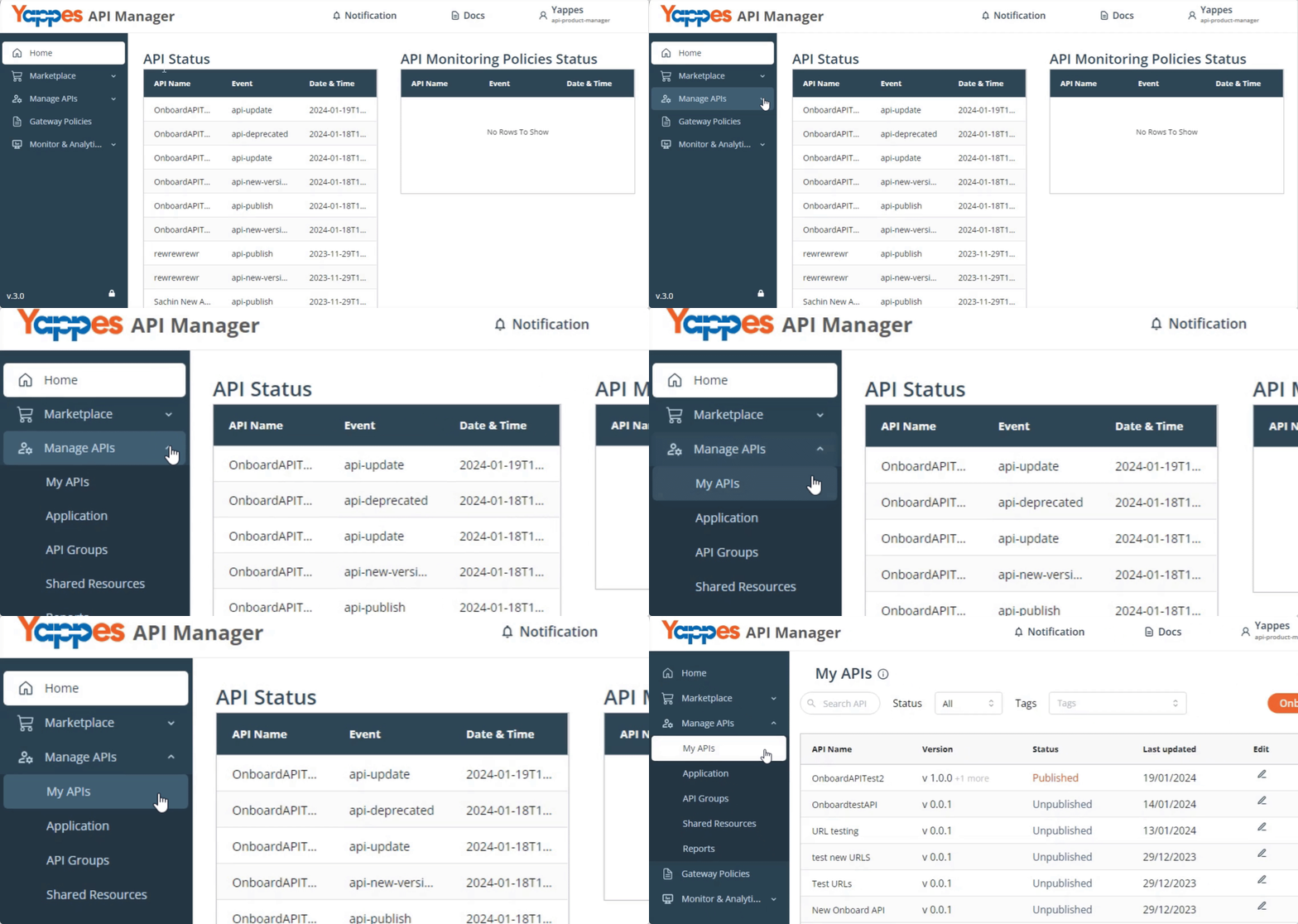
- From the home screen, go to
Manage APIs→ selectMy APIs.
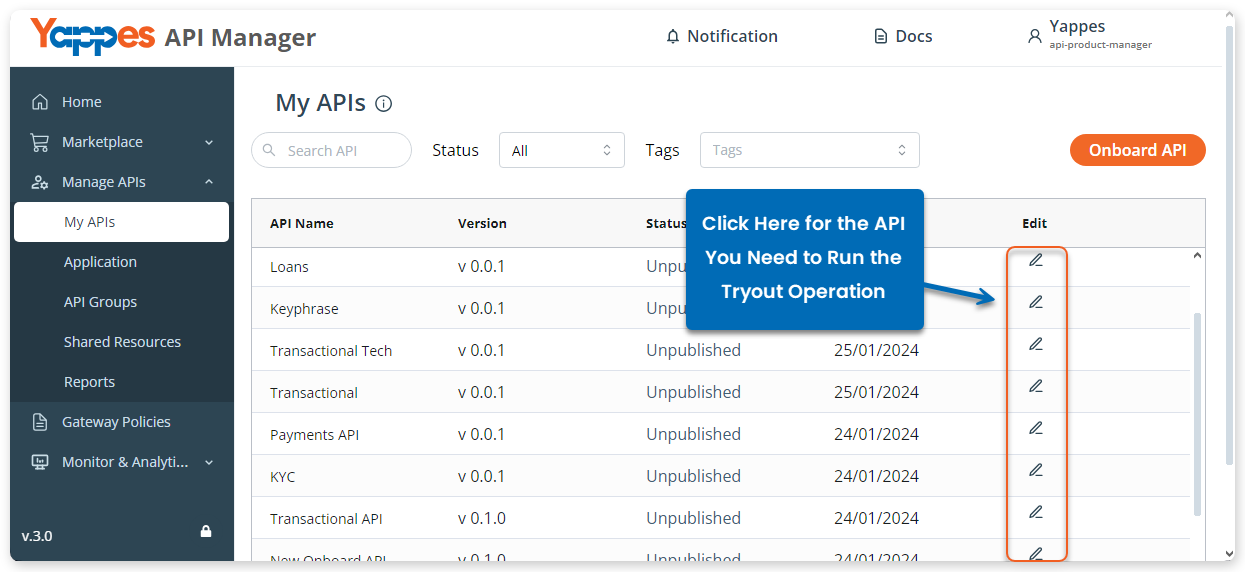
- From the available unpublished APIs, click for the API you need to try out.
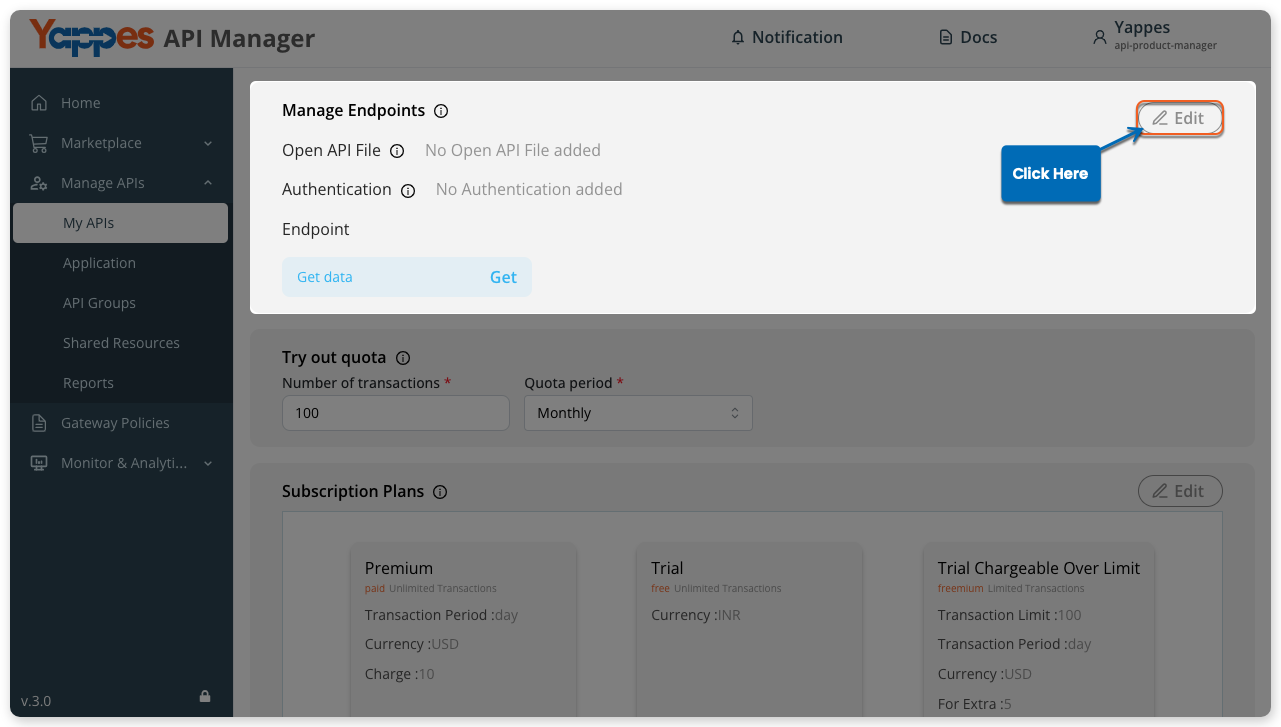
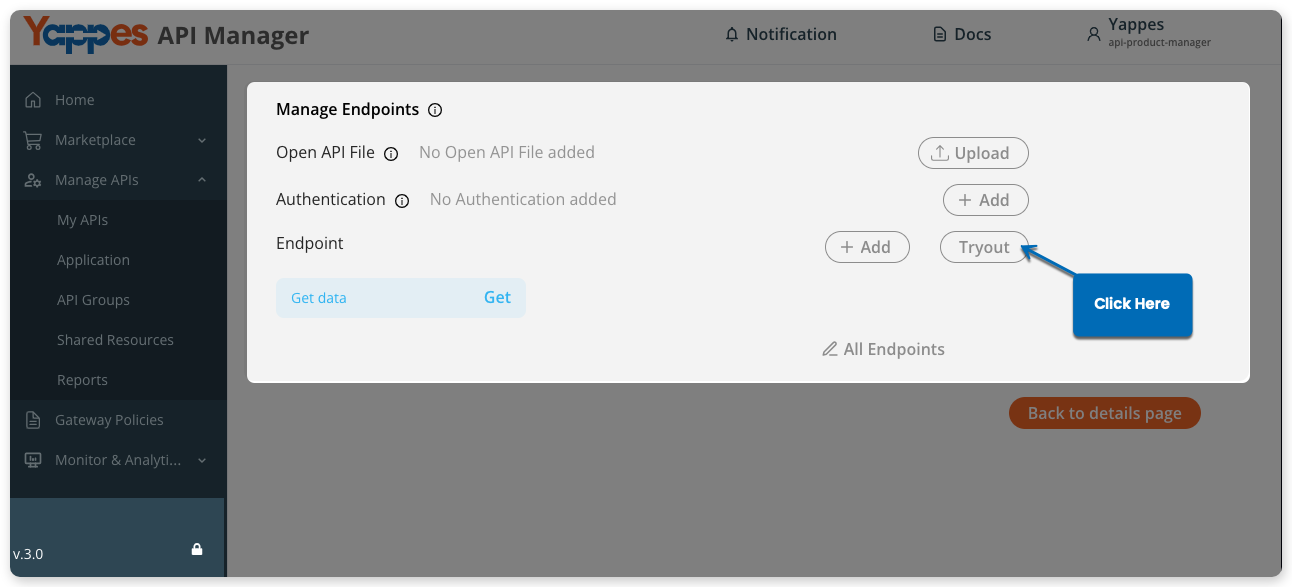
- On the API details page, scroll to
Manage Endpointsand click Edit, or clickTryout.
- In the new window, click
Tryout.
- The Endpoint Tryout window shows endpoint details, headers (including
X-Yappes-KeyandX-Yappes-Subkey), remaining tryouts, and sample requests.

- Select the application whose
X-Yappes-Keyyou want to use.
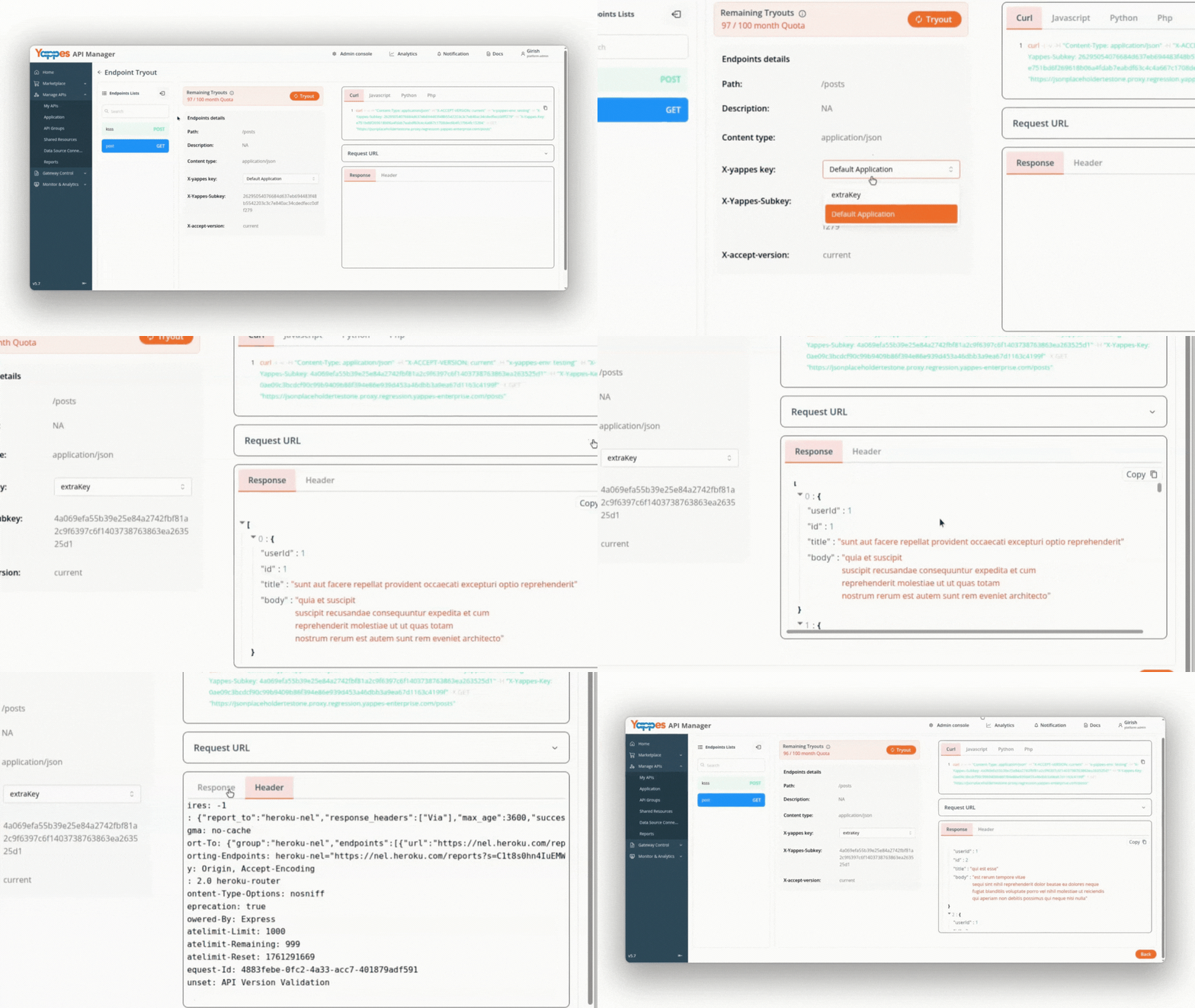
- Click
Tryout operation.
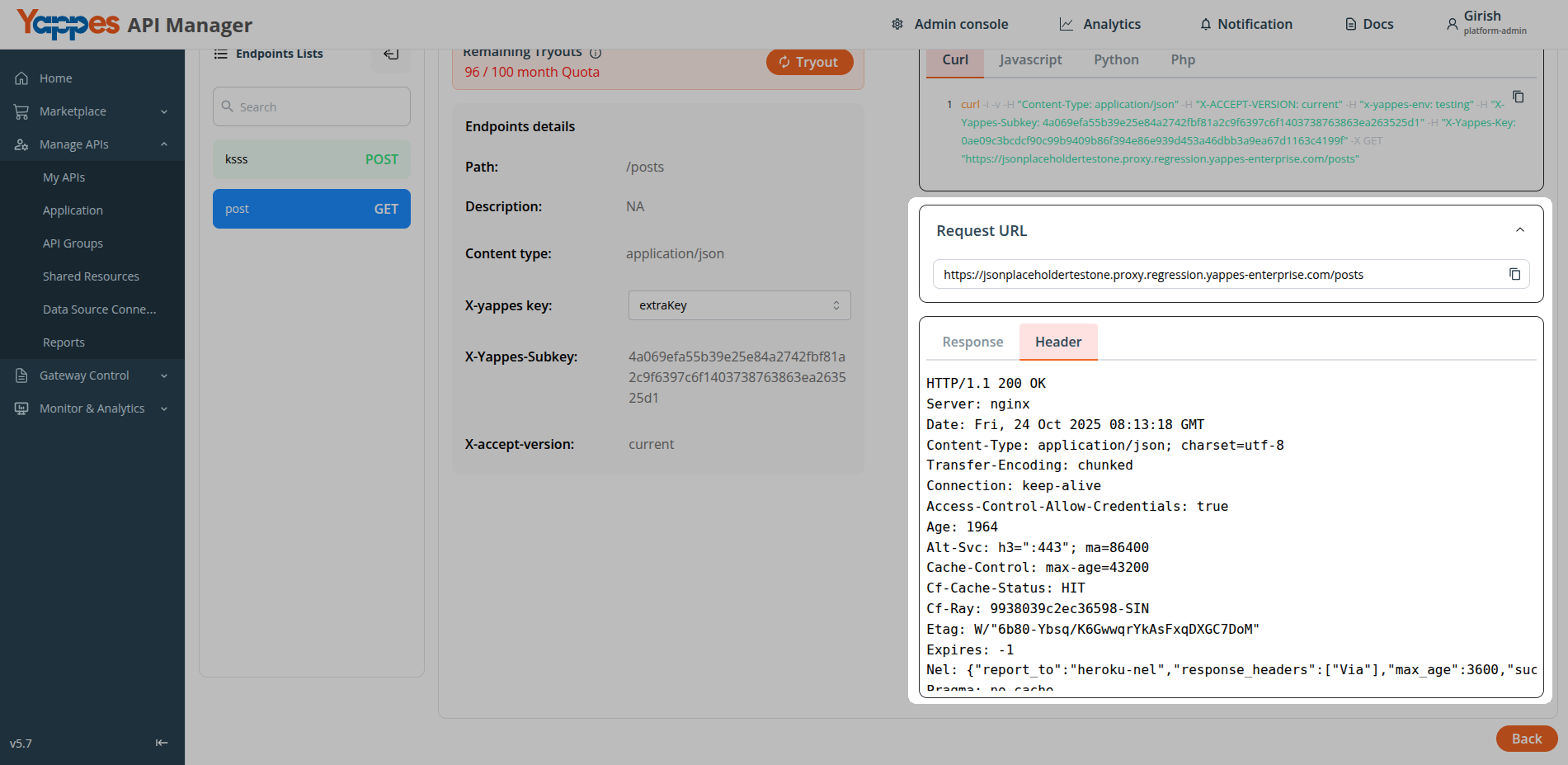
- Review the request URL and response (including headers).
To view keys, usage, or subscription details for that application, open it from Manage APIs → Application. See Application Details.