Discover APIs
This guide covers Marketplace → API Listing (API Marketplace), where you browse published APIs, open details, try out endpoints, and view rate plans.
Features
- Browse published APIs for the selected organization
- Filter, search, and bookmark APIs
- Open API details (About, API Documents, Pricing)
- Try out endpoints in API Documents
- View rate plan details on Pricing
Filter and Bookmark APIs
- Go to Marketplace → API Listing.
You can use these controls:
- Organization — Select Organization to choose which organization’s published APIs to view
- Search by API Name
- API Type — All, REST, or SOAP
- Tags — Search, Select All, or CLEAR FILTERS
- All Bookmarks — view bookmarked APIs
- Browse sections such as Recently Updated, New APIs, and Top Tags APIs; use View More to expand a section
- Bookmark icon on an API card — bookmark or remove a bookmark
API Details
Open an API card to view details. The header may show Version, Created on, Last Updated, Ratings, and See all reviews.
Tabs:
- About
- API Documents
- Pricing
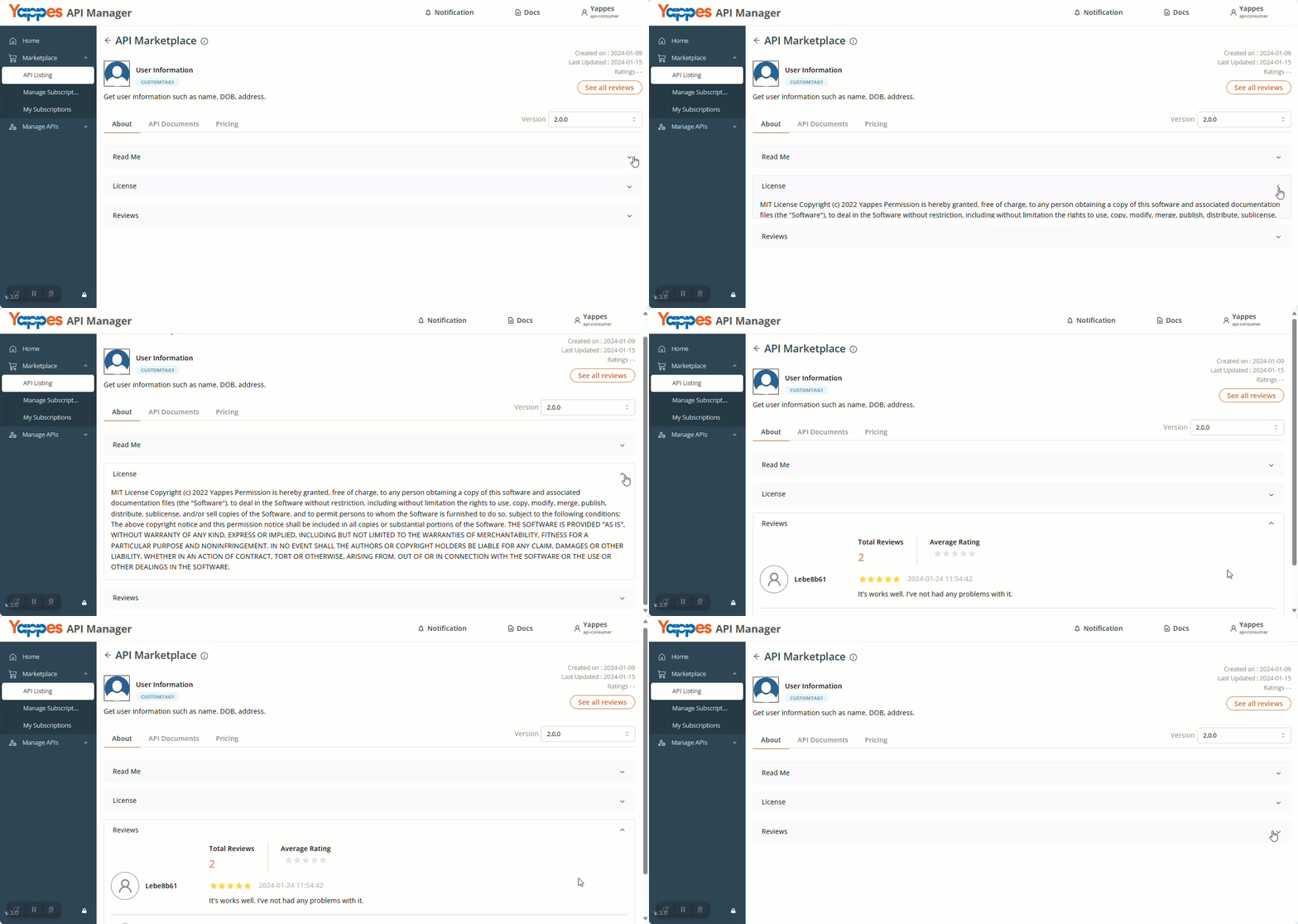
About
- Read Me — overview of the API and how to use it
- License — terms for using the API
- Reviews — ratings and comments from users
API Documents
Use API Documents to review endpoints and try them out.
- Left panel: Endpoints Lists or Operations Lists, with Search
- If authentication is required, use Authenticate. After success, the status shows Authenticated. Some APIs show Authenticate (optional)
- Remaining Tryouts shows how many tryouts you have left; click Tryout to run the request
Endpoint or operation details may include:
- Path
- Description
- Content type
- Authorization (when shown)
- X-yappes key
- X-Yappes-Subkey
- X-accept-version
You can also use:
- Custom Header
- Query Parameters
- Form Data
- Path Params
Request examples are available for Curl, Javascript, Python, and Php.
After a tryout, you can review:
- Request URL
- Response
- Header
- Response Schema
Pricing Information
On the Pricing tab, you can see the rate plan details attached to the API, when available.
If no rate plans are attached, the page shows Contact Provider!