Policies
You can create rate-limiting and error code policies to safeguard your APIs against attacks and monitor malfunctions. Rate limiting is an effective measure to protect your APIs.
Policies features
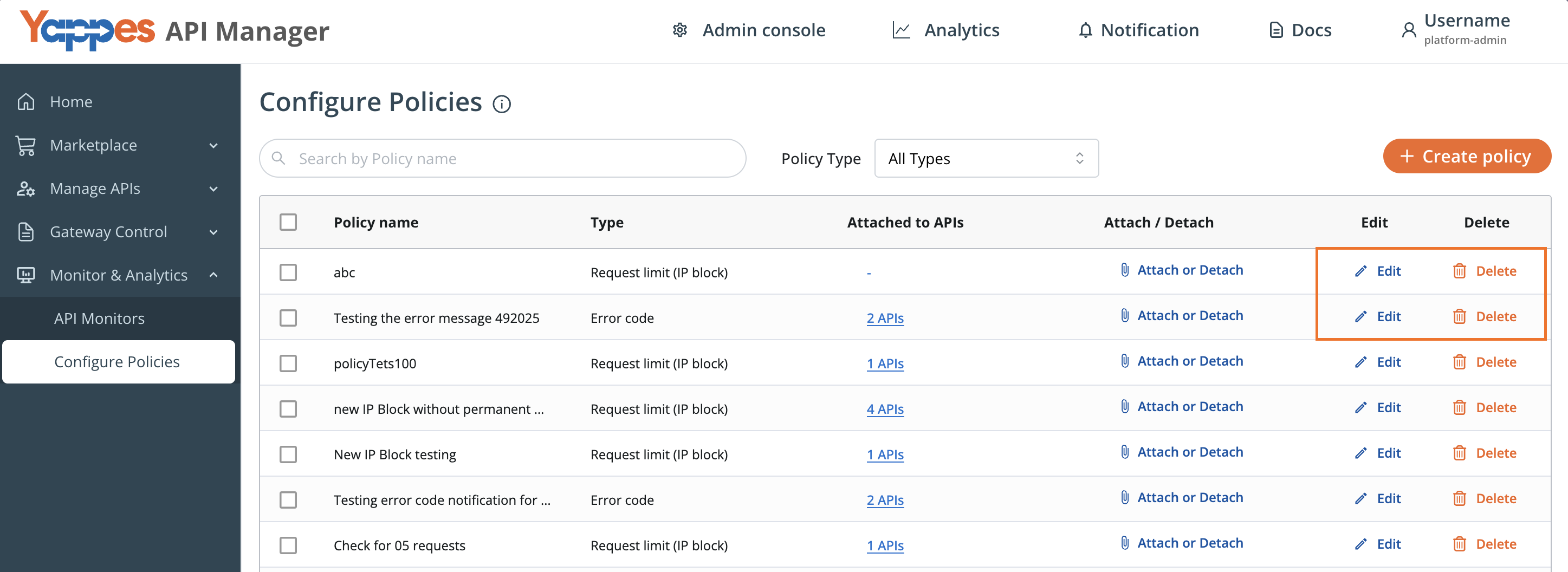
Under the Configure Policies section of the Monitor and Analytics functionality, the platform-admin, api-product-manager and api-developer of the organization can:
- Create Policies: Create policies related to Request Limit (IP Blocking) and Error Code
- Attach/Detach Policies: Attach or detach policies at the API, Endpoint, or Organization level
- Search Policies: Search for the policies created
- Filter Policies: Filter policies based on their type
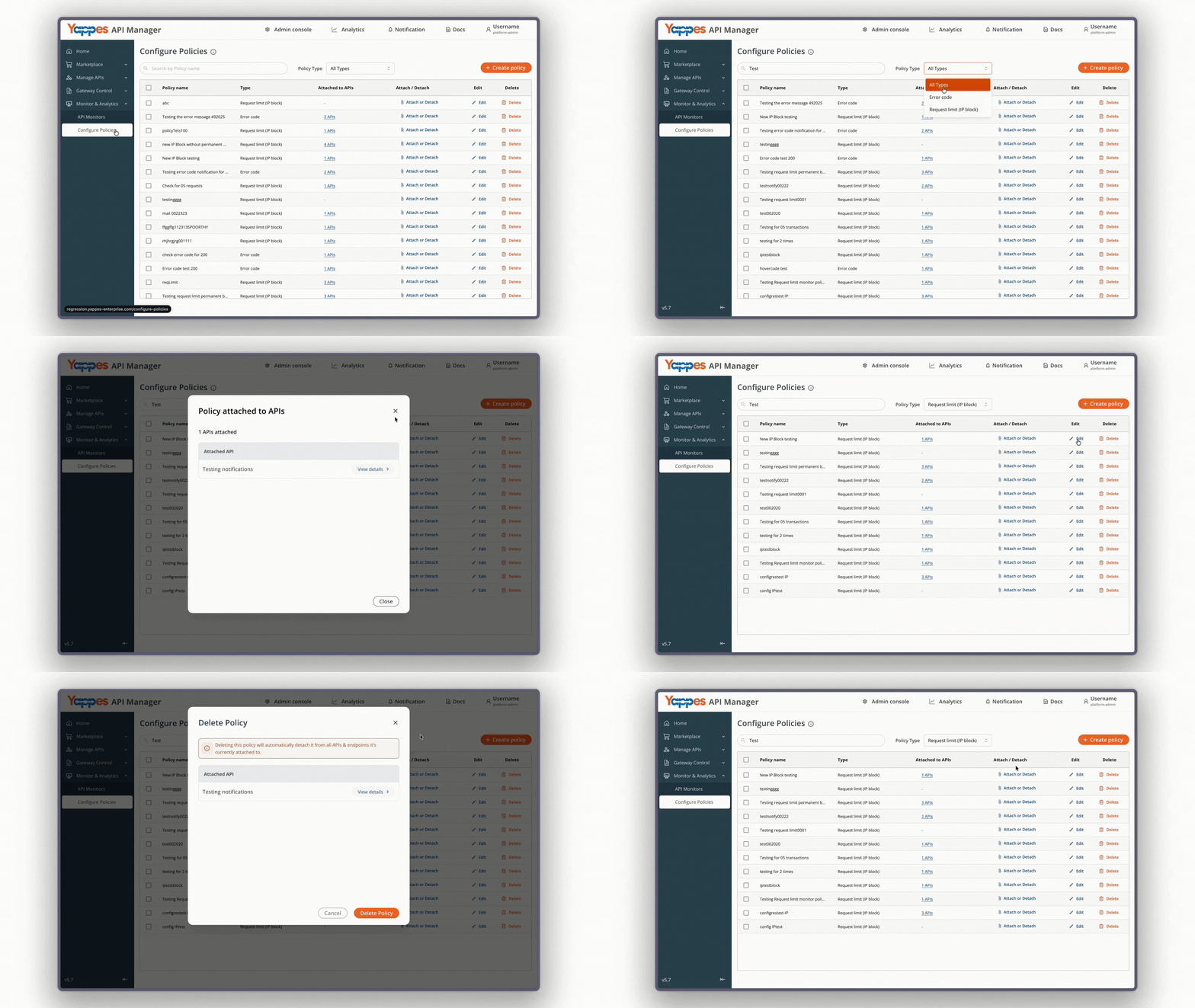
- Check Policy Inheritance: Check how many APIs inherit a particular policy
- Edit a Policy: Modify the configuration of an existing policy
- Delete a Policy: Permanently remove a policy from the system
In order to utilize the Policies, follow the below sections.
Create Policies
To create a policy:
- First, access
Monitor & Analytics→Configure Policies
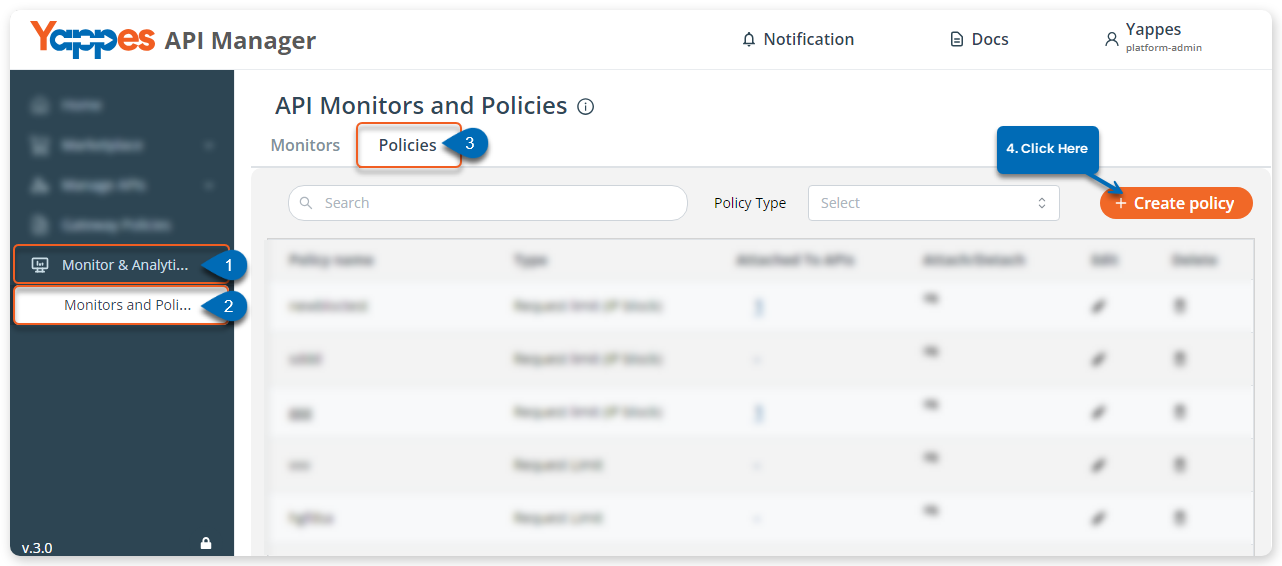
- Click
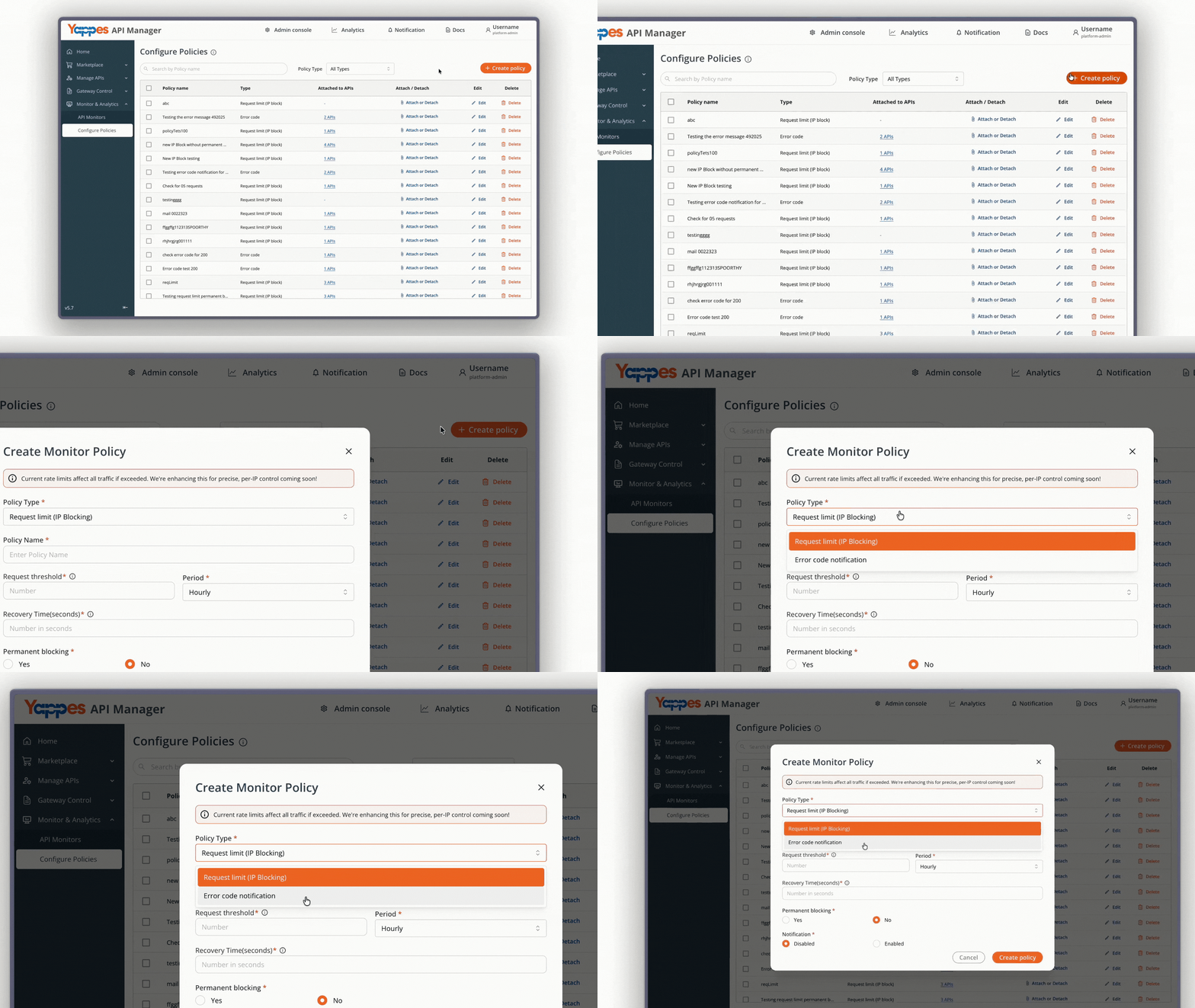
+ Create Policybutton - In the dialog shown, select the policy type.
There are two types of policies, to create them, follow the instructions mentioned in the below sections:
Info
Fields with asterisk (*) are mandatory.
Request Limit (IP Blocking)
This policy allows administrators to block traffic from specific IP addresses. This can be useful for mitigating attacks, such as Distributed Denial of Service (DDoS) attacks, or for blocking malicious activity.
When you select this type of policy, the additional field you get is to choose whether to block the IP address permanently or not.
- By default the
Permanent blockingis set toNo - If you need to block permanently, select
Yes

Error Code Notification
There are different times when an API can return errors for a request; for example, some common API errors are 400 Bad Request Error, 401 Unauthorized Error, or 500 Internal Server Error, which could be due to issues in the endpoint, incorrect parameters, etc.
In this case, the administrator or product manager might want to send automated error notification emails. To do so, you need to create the Error Code Notification policy. For that:
- First, enter the
Policy name - Define the
Error code seriessuch as 400, 401, 408, 500, and 502 - Set the
Occurrence threshold - Then select the
Period:Hourly|Day|Month - After that, enter the emails in the
Notifyfield
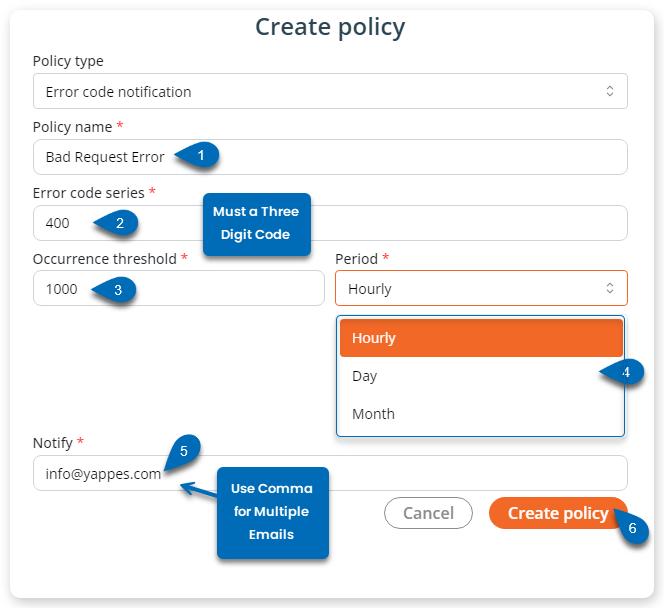
- Click,
Create Policy
Attach/Detach Policies
- Policies can be attached or detached at the Organization level, API level, or Endpoint level.
- Attaching policies allows you to:
- Apply them at the Organization level for broad, large‑scale governance
- Apply them at the API level to enforce policies across all endpoints of that API
- Apply them at the Endpoint level to enforce policies on only that specific endpoint
- You can also track how many APIs inherit a given policy.
- Policies can be detached at any of these levels whenever they are no longer required.
Edit & Delete Policy
-
Edit a Policy
- You can edit a policy to update the data you entered during its creation.
- For example, you can modify fields such as the
policy name,description, orconfiguration values.
-
Delete a Policy
- You can delete a policy if it is no longer required.
- Once deleted, the policy will be permanently removed from the system.