Version Depricate
APIs go through changes from time to time, whether a minor, major or patch release. Hence, a single API can have multiple versions. And the latest version may supersede the previous ones. Therefore, in that case, you might be the user to avoid the old version and consume the latest. To achieve this, you can depricate the API version(s) no longer appropriate for use.
Follow the below section to learn how to do that.
Note
Before you proceed, ensure you’re a user with the platform-admin, api-product-manager or api-developer role.
In order to depricate API versions:
- Go to
Manage APIs→My APIs.
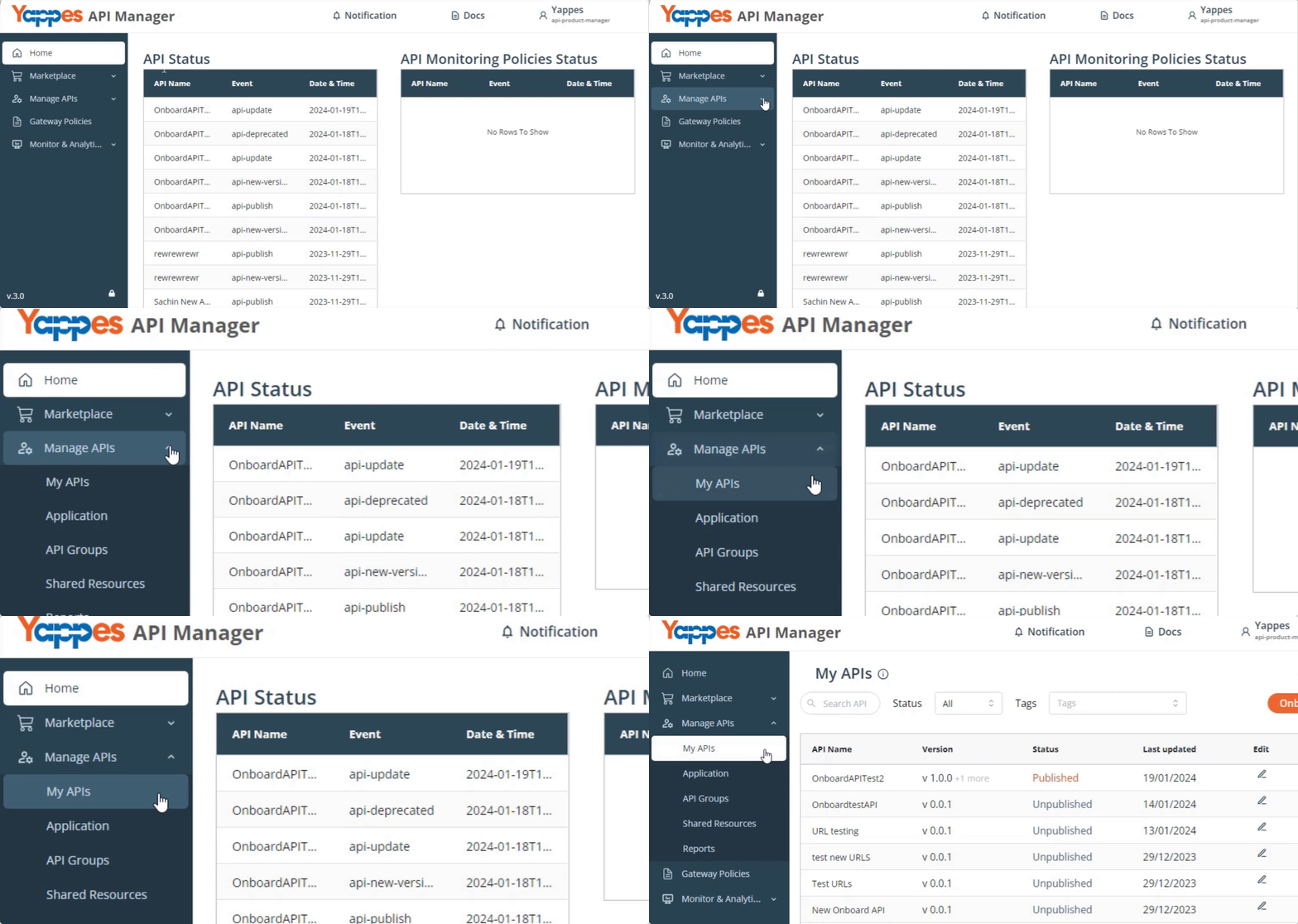
- Click for the API you need to depricate versions.
Info
If you want to depricate versions of a published API, you need to unpublish it first. Visit Unpublish API to learn how to do that. Once the API is unpublished, continue with the following steps.
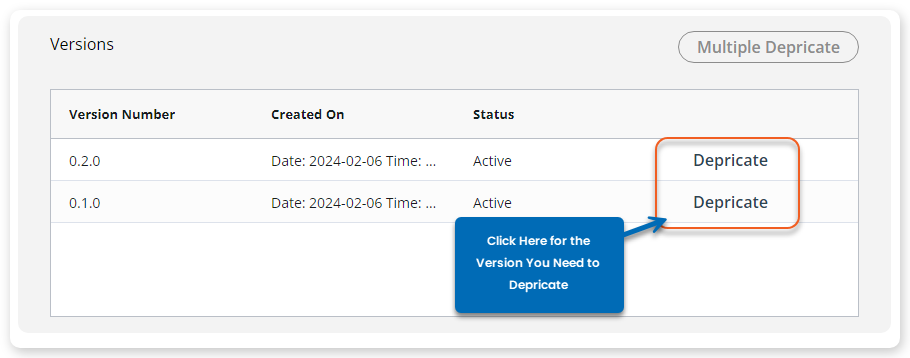
- Scroll down to Versions and click
Depricatefor the version you need to depricate.
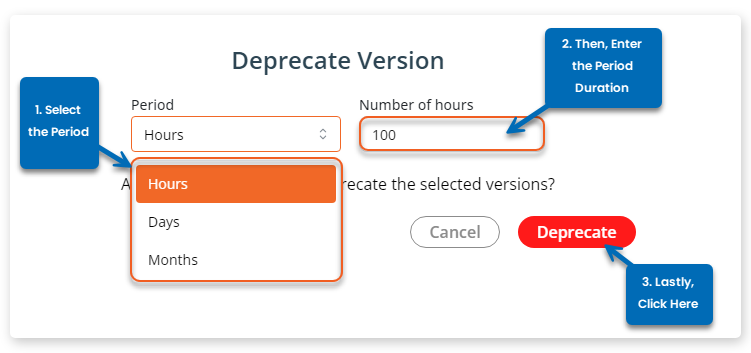
- In the popup shown:
- Select
Period- Hours | Days | Months - Define the
Number of Periods - Click Deprecate.
- Select
If you need to click multiple versions at once:
- Click
Multiple Depricate.

- In the popup shown:
- Enter
Version Query
- Enter
Info
The queries are the combinations of logical operators (&&,>,<,=) and version numbers in semver format (x.y.z). For example, a valid version query would be 1.9.0 -> 1.10.0 -> 1.11.0.
- Select
Period- Hours | Days | Months - Define the
Number of Periods
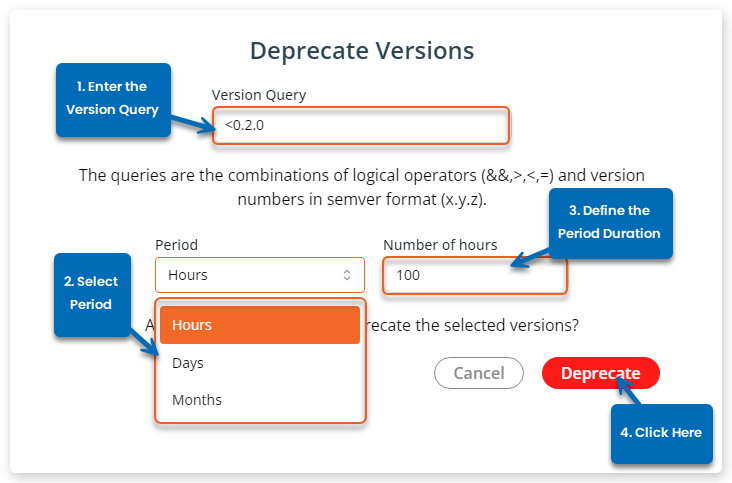
- Once done, click
Deprecate.
This will depricate the versions and you get the notification.
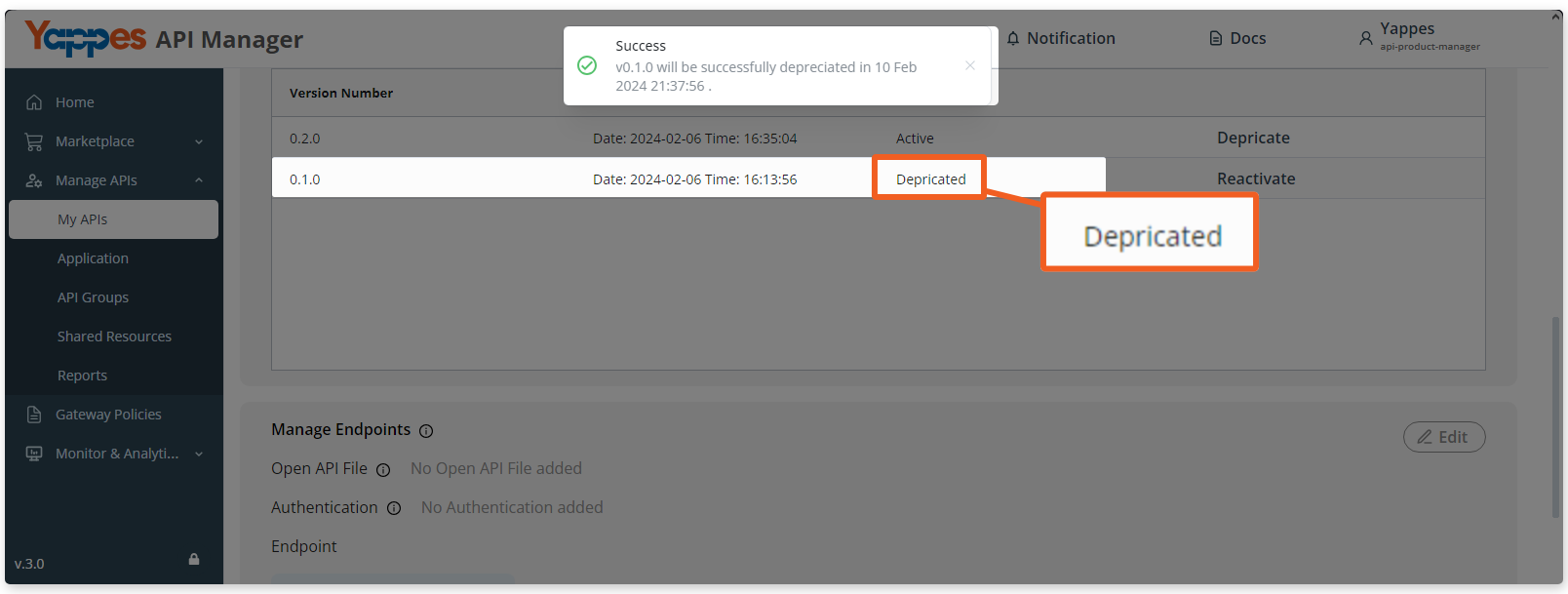
To reactivate the deprecated API version, simply click Reactivate.
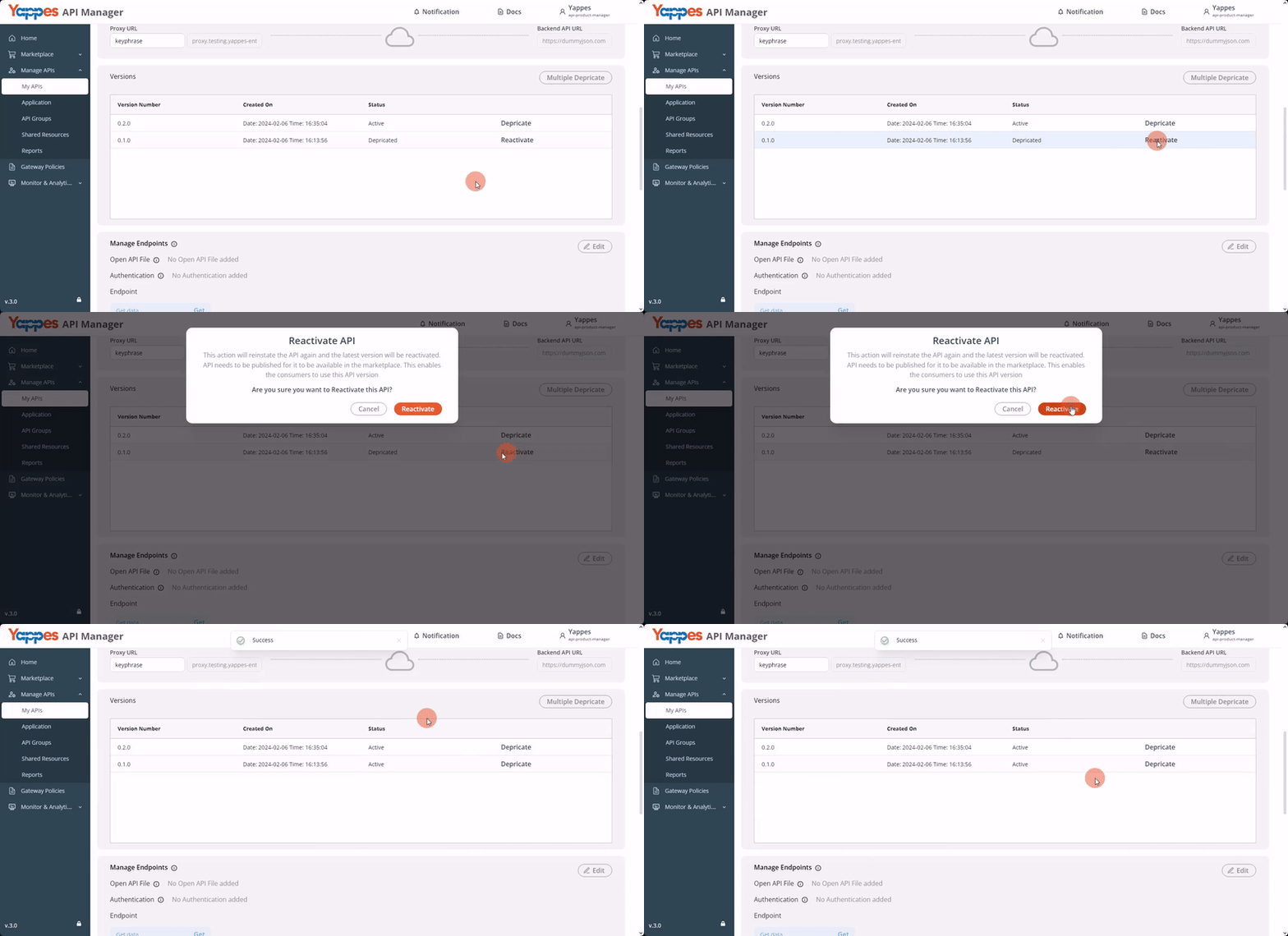
Then, click Reactivate in the popup shown.